Authenticate your requests
Open the Settings menu (the gear icon in the header) and choose Credentials to create a credential, then attach it to a node from that node's inspector. If your spec declares security schemes, you won't start from a blank form — look under "Declared in spec" first.
Using what the spec already declares
If your OpenAPI document has components.securitySchemes, Enlace reads
them into a "Declared in spec" list — the scheme, token URL, and field
names are already filled in; you just supply the actual secret. This is
usually the fastest path, and it's how the reference demo's five
different schemes show up ready to configure.
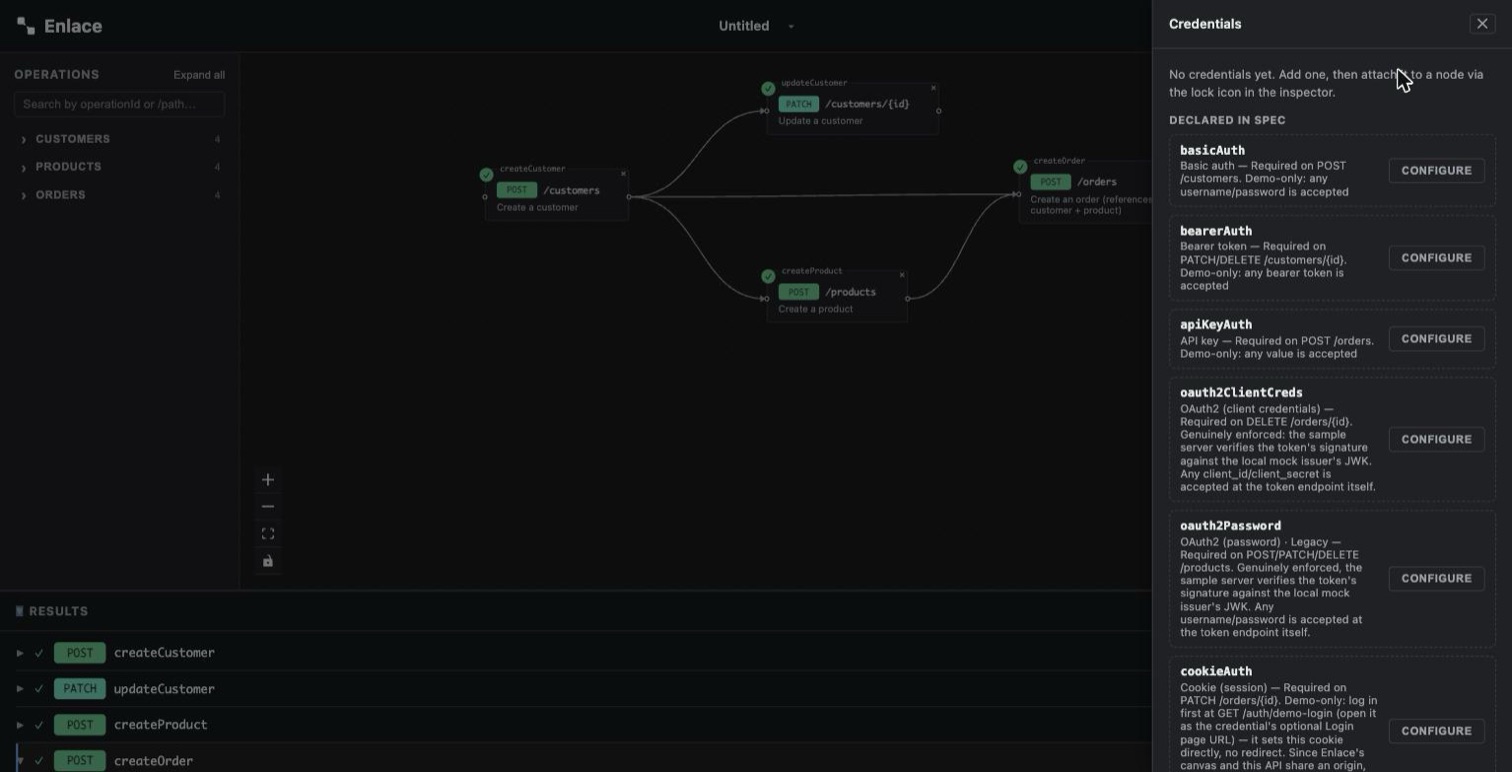
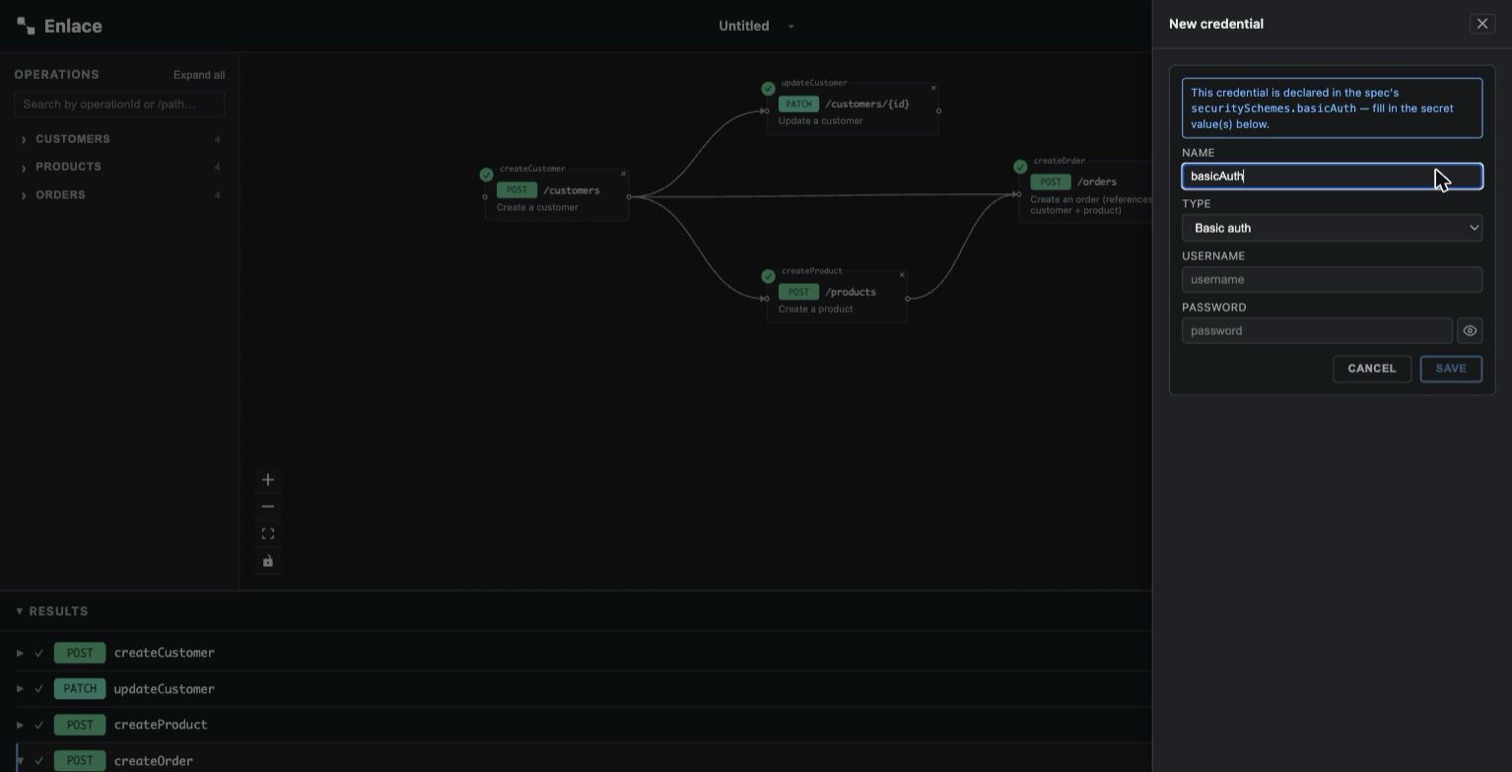
Click Configure and fill in just the secret — everything else is already pre-filled from the spec:
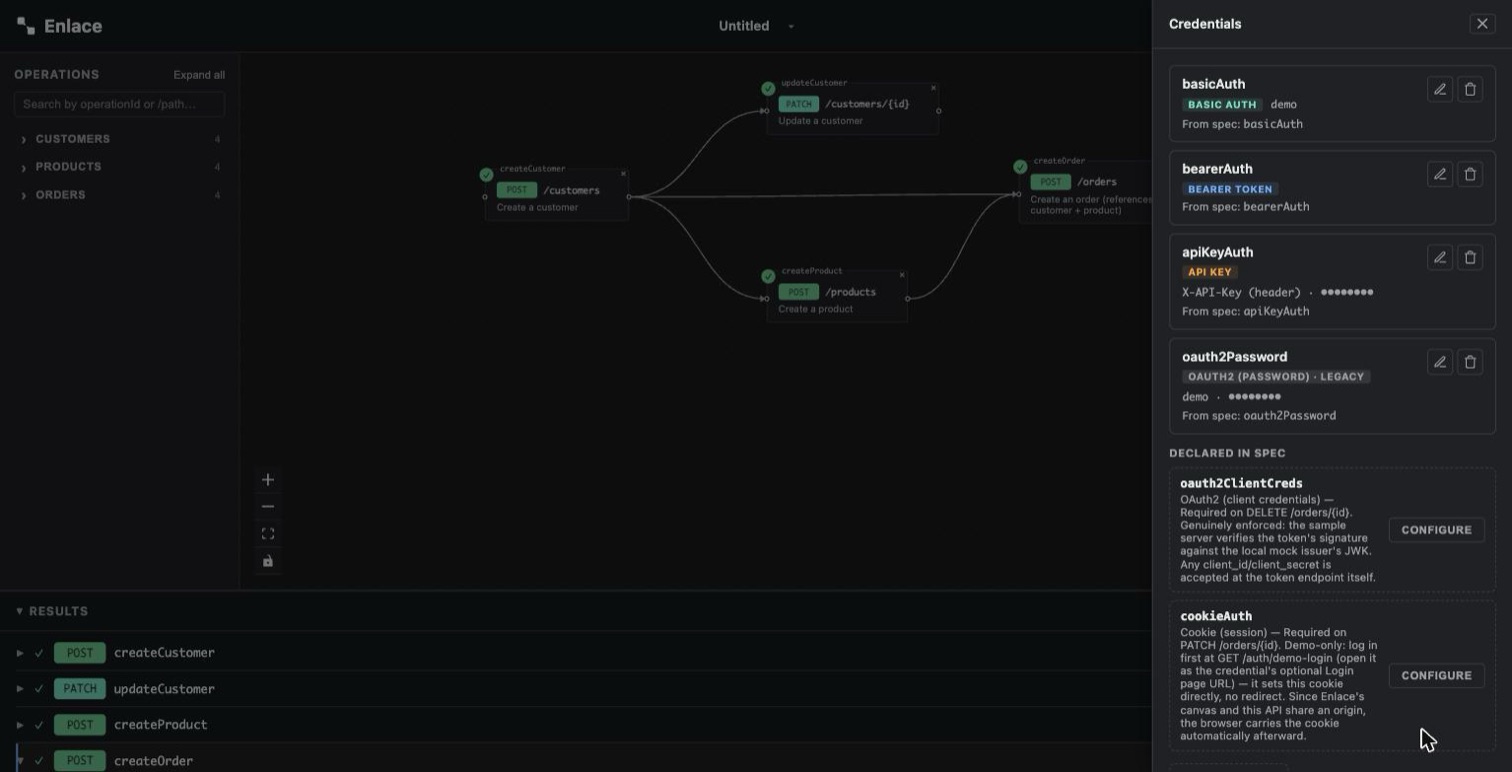
Do this for each scheme you need and they stack up as cards, each tagged with which spec scheme it came from:
Picking a credential type by hand
| If you need to... | Use |
|---|---|
| Attach a session token or PAT | Bearer |
| Send a username and password | Basic |
| Send an API key in a header or query param | API Key |
| Authenticate service-to-service, no human involved | OAuth2 (Client Credentials) |
| Exchange a user's own username/password for a token | OAuth2 (Password) — legacy, see below |
| Reuse a login you already have (GitHub, Google, SSO, MFA) | Cookie (session) |
See Credential Types for exactly what each one needs and how it's attached to a request.
Verifying an OAuth2 credential
For either OAuth2 type, Save is labeled Verify & Save: before the
credential is actually saved, Enlace fetches a real token from the
tokenUrl you gave it. If that fetch fails, you get the error inline
and nothing is saved — you find out your token URL or secret is wrong at
configuration time, not on your first run.
If your token endpoint expects the client ID/secret sent as an
Authorization: Basic header rather than in the request body (or vice
versa), pick the matching client auth method on the credential form.
It only affects the token request — the actual API call downstream
always just gets a Bearer header with whatever token came back.
If the token endpoint needs something beyond the standard fields — an
audience or resource claim, a vendor-specific parameter — add it
under Extra token params. Each is sent as an additional form field on
the token request only; scope has its own dedicated field above this,
and reserved fields (grant_type, client_id, client_secret, scope,
…) can't be overridden this way.
Revealing a secret you typed
Every secret field (token, password, client secret, API key) is masked by default. Click the eye icon next to it while editing to reveal what you typed, in case you need to double check it — this only works on the form you're actively filling in. Once a credential is saved, its card always shows the value masked; there's no reveal on a saved card.
Reusing a login you can't do with a token
If the target API expects a real login — GitHub, Google, an SSO screen,
anything a human has to click through on another origin — use a
Cookie (session) credential. It doesn't inject anything into the
request itself; instead, it tells Enlace to send the request with your
browser's own cookie jar attached (credentials: 'include'), the same
way a request would behave if you'd loaded the target site directly in
that tab.
You still have to actually log in yourself — in any tab of the same browser, before running the chain, using whatever login flow the target requires. Enlace never sees that login or the cookie it sets. If you gave the credential a login URL, its card offers a link that opens it in a new tab as a convenience — Enlace doesn't open or drive that page itself.
This only works if the target API's CORS policy allows credentialed cross-origin requests — same requirement as everything else below.
If a request comes back 401
- Check the node actually has a credential attached — an empty credential dropdown sends the request with nothing.
- For a Cookie credential, confirm you're actually logged into the target in this browser before running — Enlace doesn't check for you, it just attaches whatever cookie jar you already have.
- For either OAuth2 type, Enlace fetches and caches a token from
tokenUrlbefore the real request — if that first fetch fails, the actual request never had a valid token to attach.
What Enlace does — and doesn't — protect
-
Credentials live in your browser's memory for the session only. They're never sent to or stored by the adapter, and refreshing the page clears them.
-
The Results pane redacts secrets — the
Authorizationheader's value, and, for an API key sent as a query param, the key itself in the logged URL. An API key sent as a header (like the sample API'sX-API-Key) is shown as-is, since it isn't theAuthorizationheader — keep that in mind if you're screen-sharing a run.![A logged request showing "Authorization": "[redacted]" in place of the actual Basic auth credential](/assets/images/debug-pane-redacted-auth-1e018c0858d62f6292f9ee448a4a7107.jpg)
-
CORS is your API's responsibility. Requests fire directly from your browser to your API, exactly like Swagger UI's "Try it out" — Enlace doesn't work around a CORS policy that blocks it.
-
Enlace has no login of its own. Anyone who can reach the page it's mounted on has the same access your API's own "Authorize" button would already give them — put it behind whatever network perimeter (VPN, internal network, SSO-gated proxy) already protects that environment.