Write a request body
The Body section in a node's inspector is a JSON editor, seeded with a real example generated from the operation's own schema — not a blank box. If you'd already mapped fields before the request had a body section, or you're reopening a node, those mappings show up as chips inline automatically:
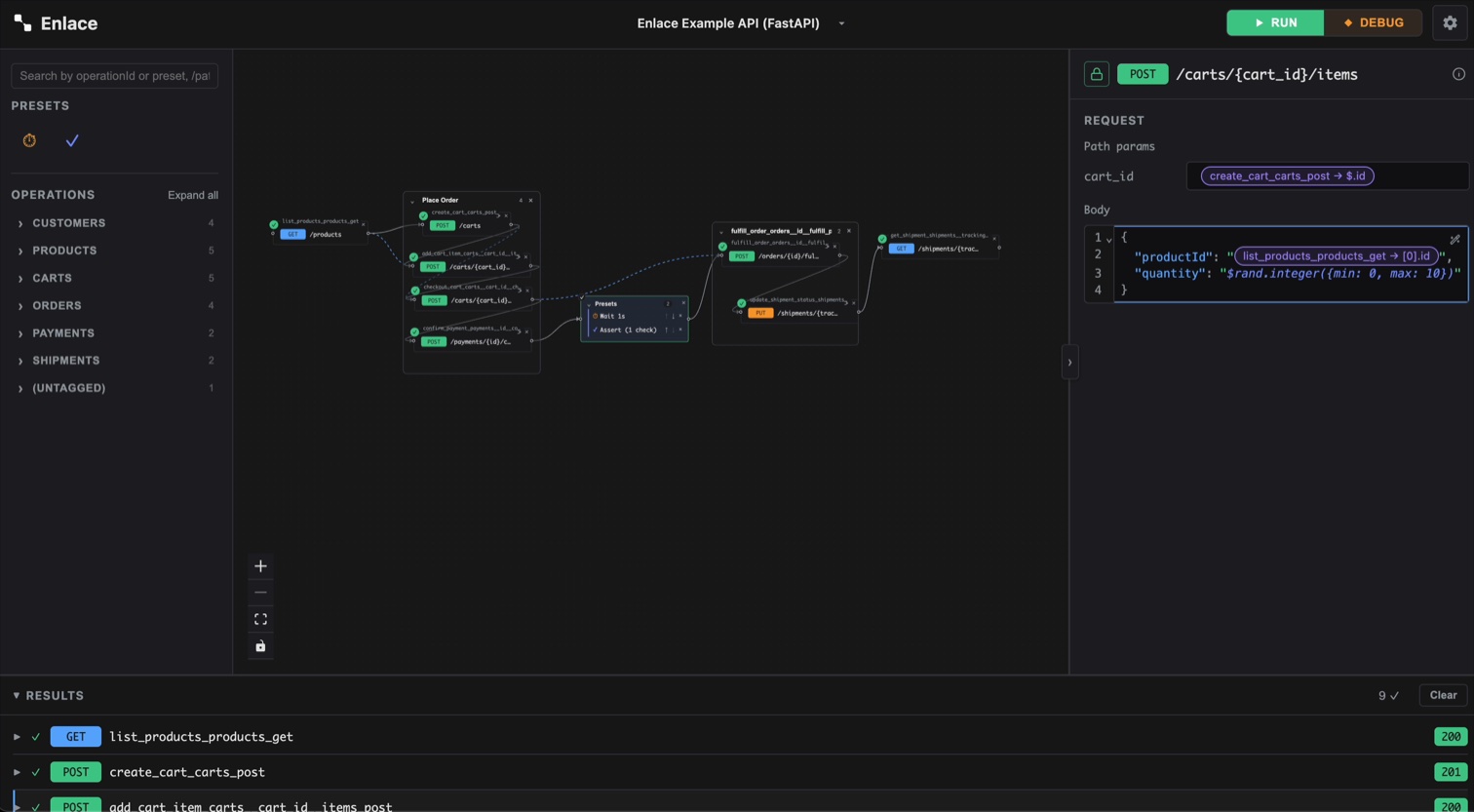
It's a full editor, not a plain text box: JSON syntax highlighting, line numbers with fold/unfold on any object or array, and inline validation — invalid JSON is flagged as you type. The Beautify button (top-right of the editor) reformats the whole document with standard indentation.
Map a value from inside the JSON
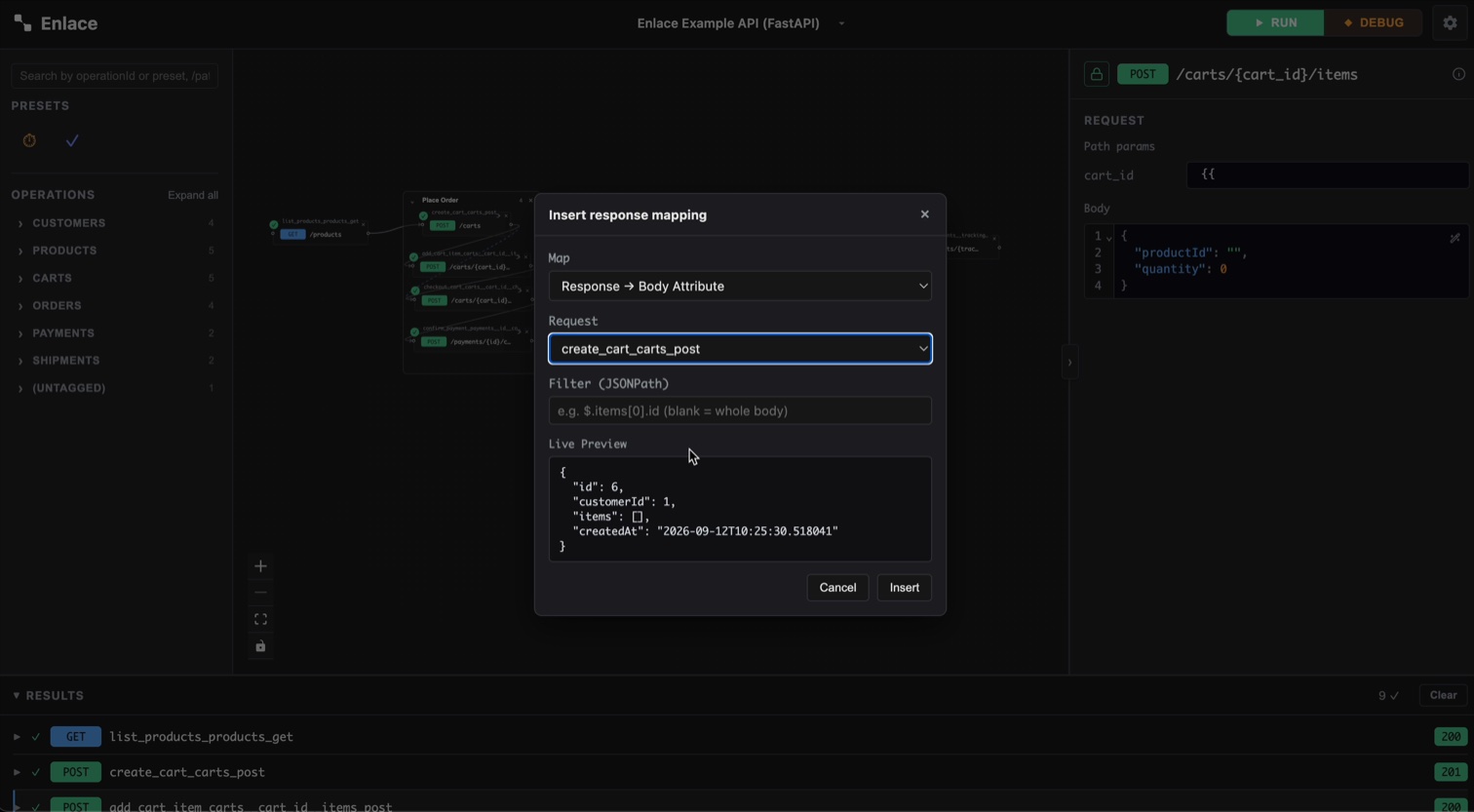
Type {{ anywhere inside a string literal. This opens a small menu to
configure the mapping — see
Pull in a value: map a field
for the three things it asks and how the live preview works.
Confirm it and the placeholder becomes a chip inline in your JSON. Click a chip to edit or remove it:
Mixing literal text and mapped values
Because a mapping is just a marker inside the string, this works fine:
{ "authorization": "Bearer {{enlace:tok_1}}" }
Enlace resolves the tag and stitches it into the surrounding text at request time — the mapped value doesn't have to be the whole field. The same is true for path, query, and header fields, each its own compact one-line editor elsewhere in the inspector — everything here about mapping and mixing text applies there too, just without JSON's punctuation or the fold/lint chrome (a param is one scalar value, never a document).
Uploading a file
If an operation's request body is multipart/form-data rather than
JSON — a file upload endpoint — the field for it renders as a file
picker instead of a text input, dropped inline into the Body editor
where that field belongs. Click it to choose a file from disk.
A file can't be written as JSON text, so it doesn't sit inline as a
literal value the way a mapped value does — but it's still just a tag:
type {{ where the file should go and the same menu that offers
response mappings also offers Upload file. Pick it and choose a file
from disk; it becomes a chip in your JSON, resolved to the real file at
request time.
Generating a random value
Need a placeholder value rather than one pulled from an earlier response — a random name for a test customer, a fresh id, a number in some range? Type an expression like this directly into the body:
$rand.guid()
$rand.integer({min: 1, max: 90})
$rand.first()
Typing $rand. triggers autocomplete over every available generator,
and a resolved $rand... call is highlighted distinctly in the editor
so it reads as "different every run" rather than blending into ordinary
text. A call that's the whole value keeps its real type (a number stays
a number, not a quoted string); embedded inside a larger string it's
spliced in as text, same as a mapped tag.
Each expression is a call into Chance.js — its docs are the full reference for what's available beyond the handful above (addresses, dates, colors, and more). A value is generated fresh every time the chain runs, never cached or reused between runs like a mapped field is.
$rand is only available in the Body — path, query, and header values
come from the URL or an earlier response, not something you'd generate.