Group nodes on the canvas
Once a chain has more than a handful of nodes, the canvas gets busy. Group related nodes into a single, named, collapsible cluster to keep the shape of the chain readable without changing what actually runs.
Groups are purely canvas layout — they're never part of the executed workflow. Connections and field mappings work exactly the same whether their endpoints are grouped or not.
Create a group
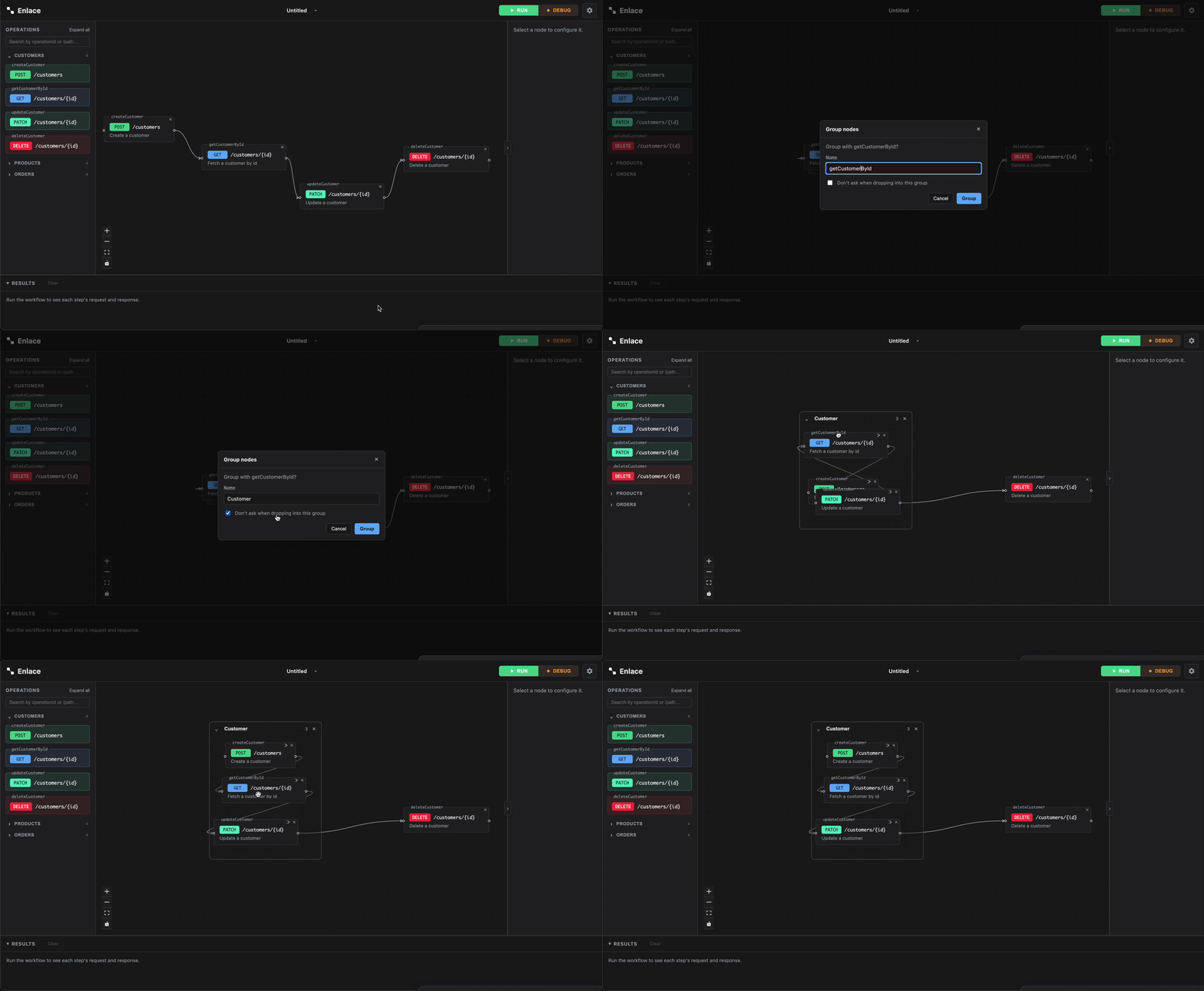
Drag one node on top of another until it overlaps by about half the smaller card's size, then drop it. Enlace asks you to confirm before anything happens:
- Group nodes? — creating a new group. Give it a name (defaults to something reasonable, editable before you confirm).
- Add to "<name>"? — you dropped onto a node that's already in a group, or dragged near an expanded group's frame until it grew around your card — you're joining that existing group instead.
Either dialog has a "Don't ask when dropping into this group" checkbox, for when you're moving several nodes into the same group in a row. Cancel and the node just snaps to the nearest open space, like any other drop.
Collapse and expand
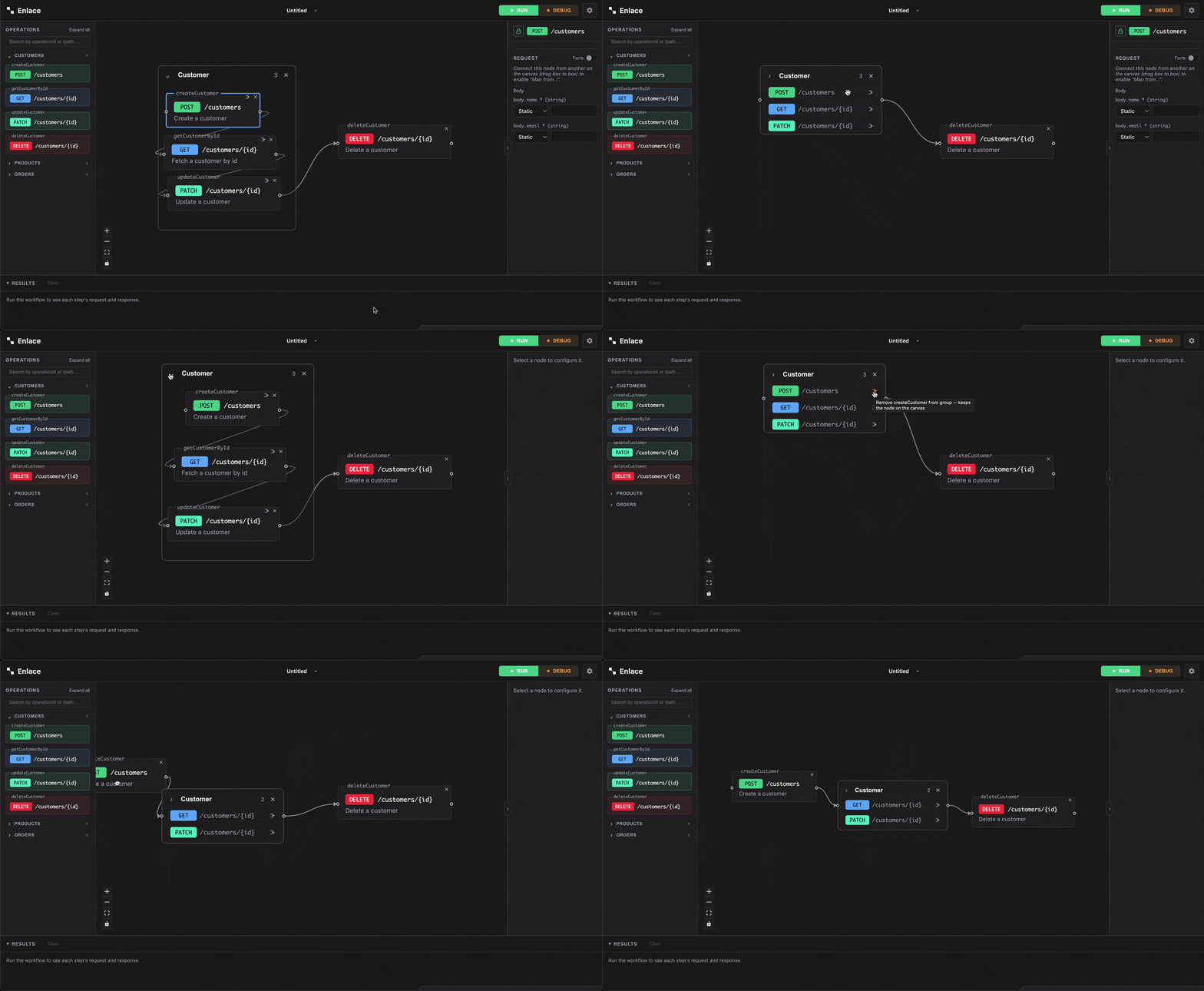
A group starts expanded: a titled frame drawn around its member cards, which behave completely normally inside it. Click the chevron in the frame's titlebar (or double-click the collapsed card later) to toggle:
- Expanded — a titled frame around full-size member cards.
- Collapsed — a single mini card listing every member as one row (method + path), with each member's own live run status shown inline. Member cards are hidden while collapsed — this list is the only place their status shows up until you expand again.
Connections into or out of a grouped node are rewired to the group's own edge while it's collapsed, then snap back to the individual member once you expand it again.
Rename a group
Click into the name field in the group's titlebar (expanded or collapsed) and type — same as renaming the workflow itself.
Leave a group
Each member card has its own small leave-group icon (also present on each row of a collapsed group's member list). Clicking it removes just that node from the group — the node stays on the canvas, connections and mappings untouched. If removing a member would leave fewer than two nodes in the group, the group dissolves automatically rather than persisting with a single member.
Ungroup
The × next to a group's name dissolves the whole group at once. Every member stays on the canvas exactly where it was; only the group wrapper goes away.
While a run is in progress
Creating a group, joining one, leaving one, and ungrouping are all canvas edits — same rule as everything else, they're blocked while a run (or a paused debug session) is in progress, matching whatever the canvas lock icon shows. Moving nodes around — including dragging a whole group by its frame — is the one exception, same as moving a single node.
Saving and sharing
Groups round-trip through .enlace export/import
along with everything else on the canvas — import a collection and any
groups it had come back exactly as they were, collapsed state included.