Add a Wait or an Assert step
Not every step in a chain is an API call. Presets are small, built-in steps you drop onto the canvas the same way as an operation — a pause between two requests, or a check that a response actually looks the way you expect — without needing an operation in your spec to do it.
Two kinds exist today:
- Wait — pause for a fixed duration before the next step runs.
- Assert — run one or more checks against an earlier step's response, and fail the chain if any of them don't hold.
Adding a preset
In the palette, above the list of operations, is a small icon grid labeled Presets — one icon per kind, name on hover. Drag an icon onto the canvas the same way you'd drag an operation.
Presets don't land on the canvas individually — dropping one creates a small collection node that holds it. Drag another preset onto that same collection card (instead of empty canvas) to append it, in order, rather than creating a second collection. There's no limit to how many presets one collection can hold, and it's fine to mix Wait and Assert in the same one:
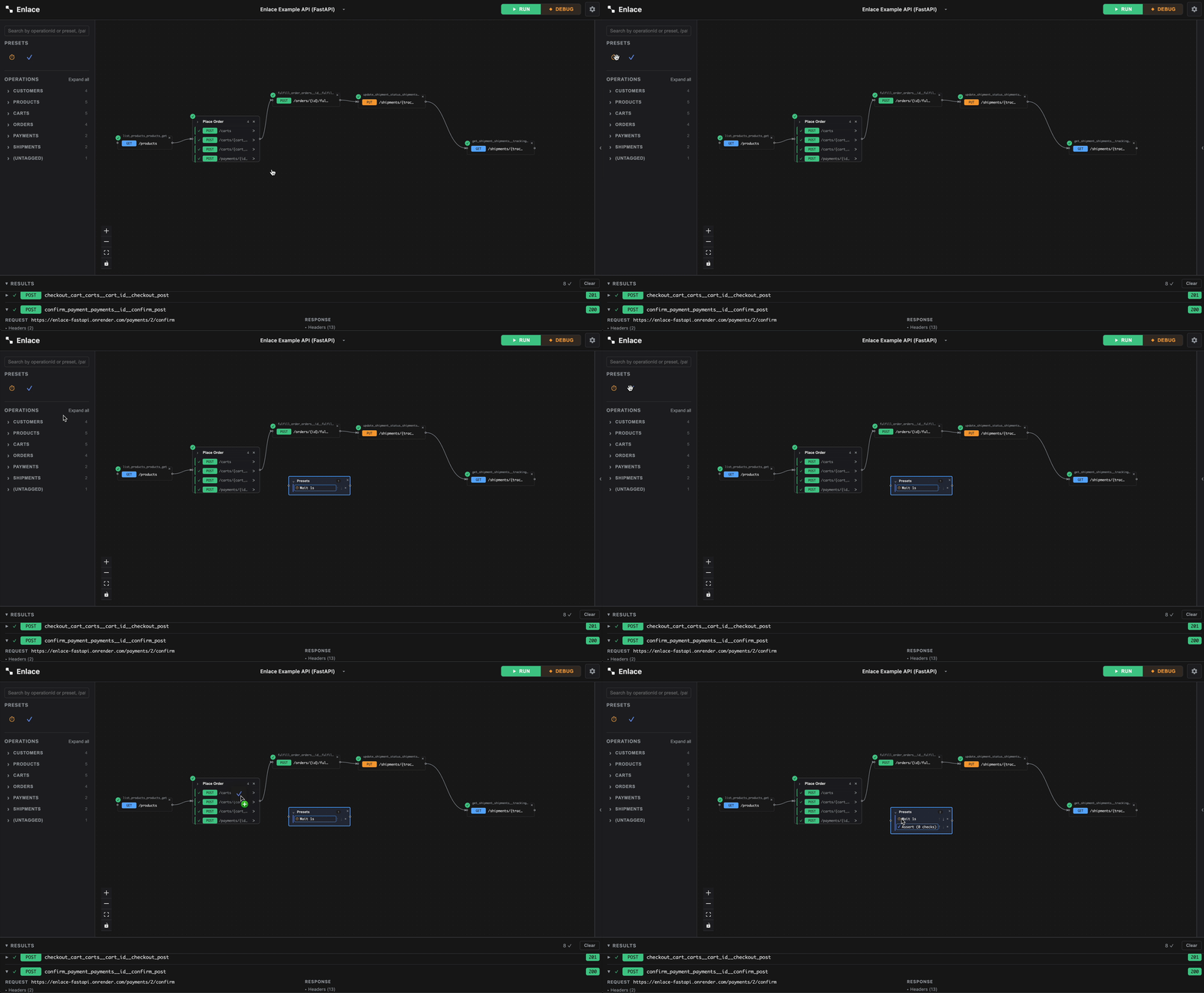
Connect a collection into a chain exactly like any operation node — drag from its connect handle, map fields into an Assert's checks from any ancestor's response, and it participates in run order the same way.
Collapsed and expanded
Collapsed, a collection is a small diamond showing how many presets it holds. Click the chevron to expand it into a box listing each preset in order.
Inside the expanded card, each row is one preset — icon plus a short summary ("Wait 2s", "Assert (2 checks)"). Use the ↑ / ↓ buttons to reorder a preset relative to its immediate neighbor (there's no arbitrary drag-to-reorder), or × to remove it. Click a row itself to open its configuration in the inspector, same panel a regular node's fields would appear in.
Configuring Wait
Select a Wait row and the inspector shows one field: Duration, in seconds (fractional values work, down to the millisecond under the hood). The chain pauses for exactly that long once the collection's turn comes up — no request is sent.
Configuring Assert
Select an Assert row and the inspector shows its list of checks. + Add check adds one; each check has:
-
Source — an ancestor node's response, and what part of it: a specific body field (by JSONPath, e.g.
items[0].id), the whole raw body, a response header, or the HTTP status code. Same picker the Raw JSON editor's{{menu uses for response mappings. -
Operator — one of:
Operator Checks equals/notEqualsValue matches (or doesn't) the expected text containsValue contains the expected text as a substring exists/notExistsThe source resolved to a value at all greaterThan/lessThanNumeric comparison against the expected value -
Expected value — the text to compare against; not used for
exists/notExists.
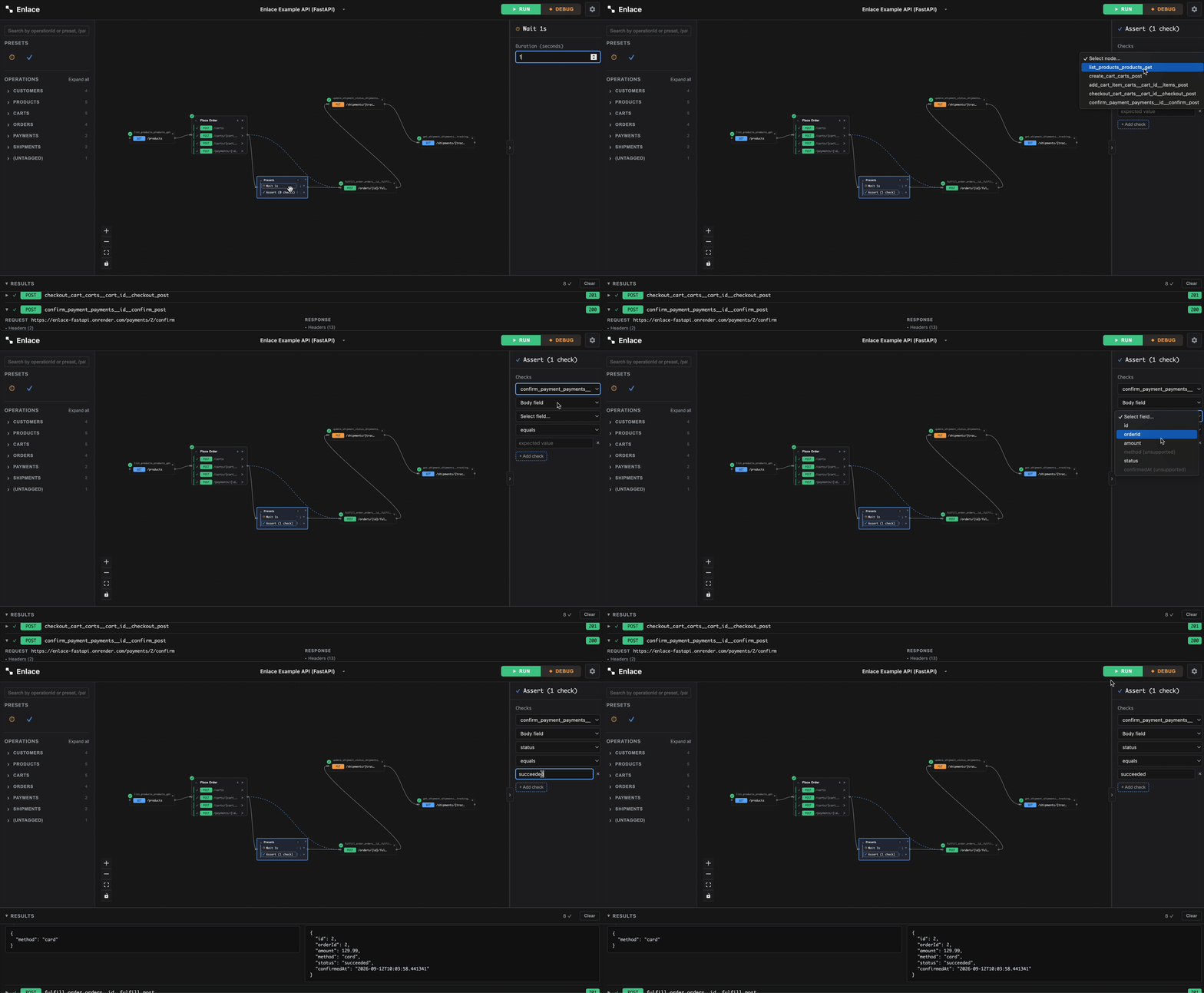
Checks run in order; the first one that fails stops the rest and fails the whole preset (and the collection it's in) at that point.
How presets run
A collection is one node in the dependency graph and one row in the Results pane — breakpoints only arm on a connection into or out of the collection as a whole, never on an individual preset inside it. Expand its row in Results to see each preset's own outcome underneath, in the order they ran.
Presets inside a collection always run one at a time, in order, never concurrently with each other — even though the collection itself can run concurrently with unrelated branches elsewhere in the chain. If you hit Stop mid-run while a Wait is actually sleeping, it cuts the wait short immediately rather than letting it run out.
Saving and sharing
Collapsed/expanded state and every preset's configuration round-trip
through .enlace export and import just like
any other node — reopening an imported file shows collections exactly as
you left them.